
Application Screening Tests with Smart Field-Level Filtering
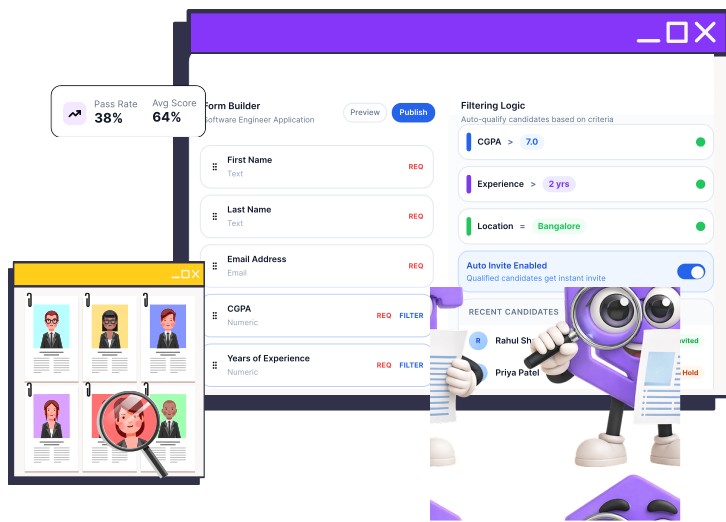
Build fully custom application forms, define filtering criteria on any field, and let CoderScout automatically invite qualified candidates — so your pipeline only moves forward with the right people.
- ✓ Build the form. Set the bar. Let CoderScout do the filtering.
Why Manual Application Review Fails
Too many applicants
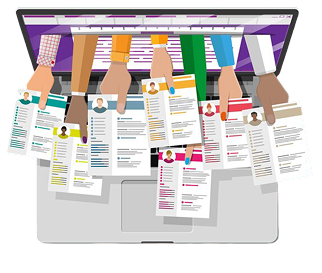
Reviewing hundreds of applications manually wastes recruiter time on candidates who don't meet basic criteria.
No structured data collection

Standard job platforms give you resumes, not the structured data you actually need to make fast decisions.
Inconsistent filtering

Without a defined form and scoring logic, filtering becomes subjective and prone to error.
Good candidates missed

When filtering is manual, good candidates can be missed while unqualified ones pass through.
Delayed hiring timelines
Time spent on application review pushes back your entire hiring timeline.
CoderScout Builds Smart Application Forms That Filter Themselves
Create fully custom application forms
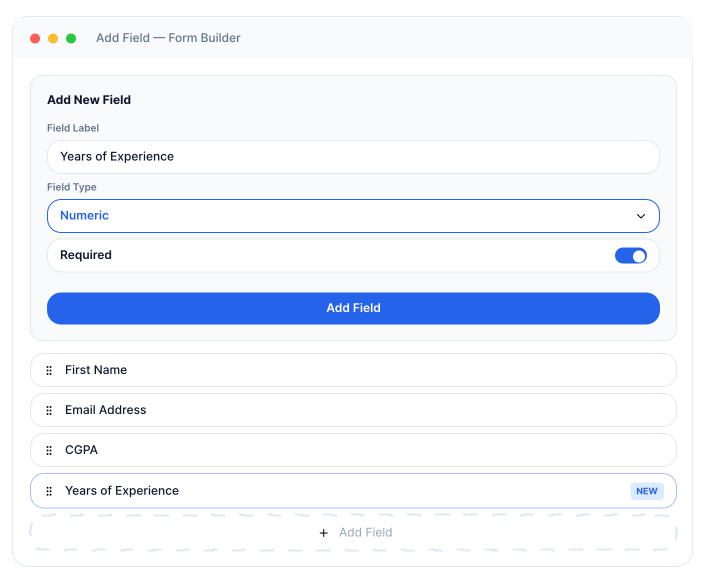
Design application forms tailored to your hiring needs by collecting exactly the information you require, including academic qualifications, work experience, location, skills, and custom fields.
Add smart numeric filtering criteria
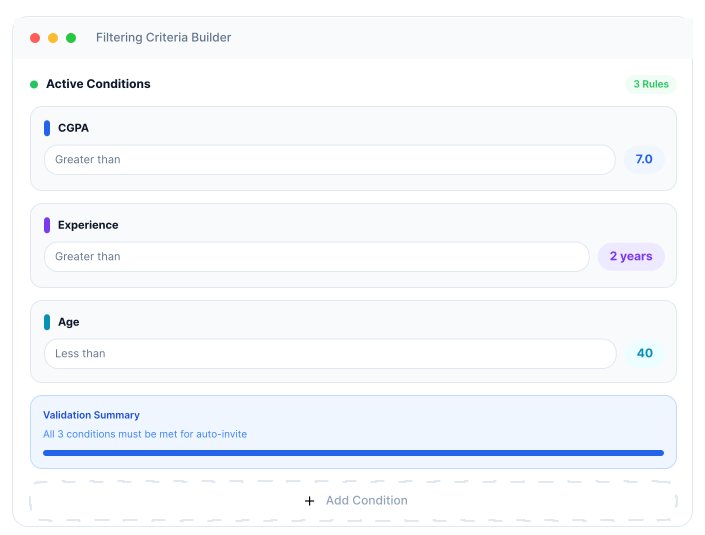
Define automated eligibility rules such as minimum CGPA, years of experience, graduation year, or other numeric thresholds, allowing applications to be evaluated instantly upon submission.
Auto-invite qualified candidates
Automatically move eligible candidates to the next stage by sending assessment invitations as soon as they meet your predefined screening criteria, reducing manual effort and response time.
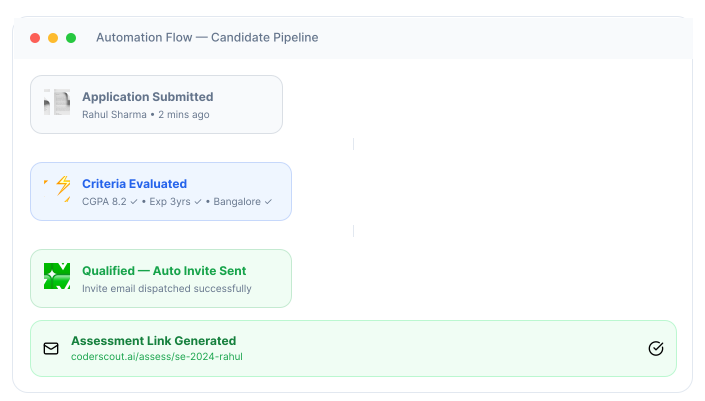
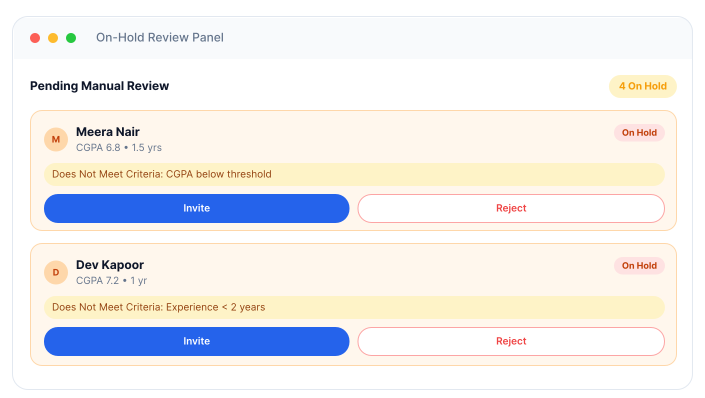
Place borderline candidates on hold
Keep potentially suitable candidates in a review queue when they do not fully meet screening requirements, giving recruiters the flexibility to make manual decisions when needed.
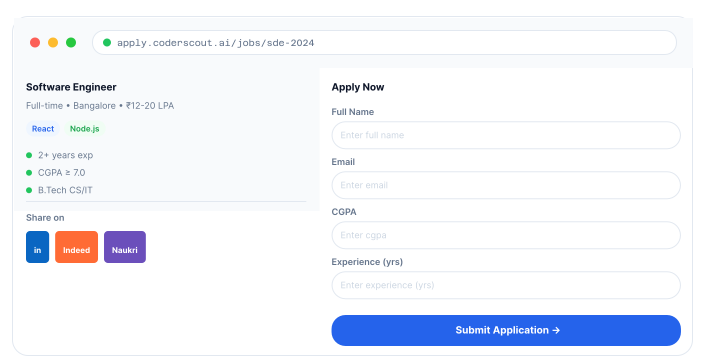
Share your form link anywhere
Distribute your application form across LinkedIn, job boards, career pages, campus portals, and other channels, allowing candidates to apply directly and enter your hiring workflow automatically.
Why Teams Use Application Screening Tests
Collect structured, role-specific candidate data at scale
Automatically filter unqualified applicants before assessment
Remove manual effort from early-stage screening
Share a direct application link on any hiring platform
Everything You Need to Screen Applicants Before the Assessment
Custom Form Builder
Add any field, such as text, number, or dropdown, and mark it required or optional based on your needs.
Default Candidate Fields
Every form starts with First Name, Last Name, and Email pre-loaded, so you're never starting from scratch.
Numeric Field Criteria
Set threshold conditions on number fields to automatically filter candidates who don't meet your baseline.
Disqualify Previously Enrolled Candidates
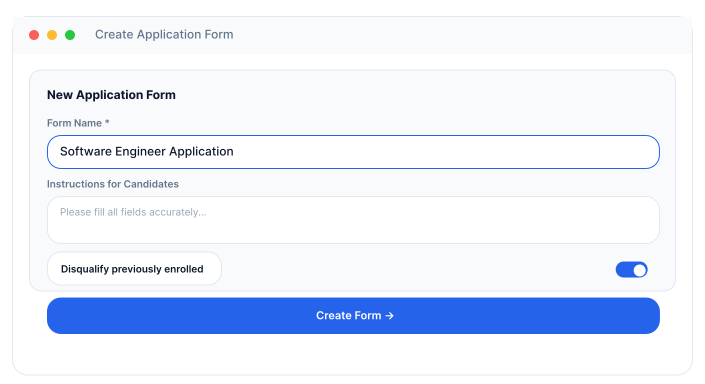
Automatically exclude candidates who've previously attempted your contests within a configured time window.
Form Preview
Review the complete form layout before publishing — exactly as candidates will see it.
Auto-Invite & On-Hold Logic
Candidates above the criteria threshold are auto-invited. Others go on hold for a manual decision.
From Application to Qualified Candidate Pool
Create Your Application Form
- Create a new application form for your hiring process.
- Add form instructions and candidate guidance.
- Configure disqualification settings if required.
- Prepare the form for role-specific screening.
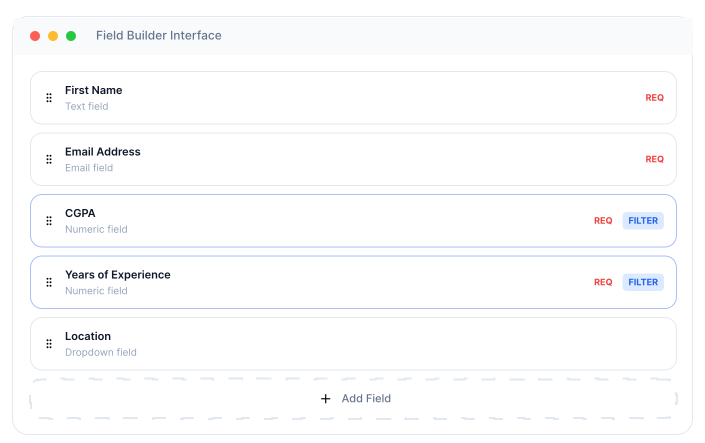
Define Your Fields
- Start with default fields like First Name, Last Name, and Email.
- Add custom fields based on job requirements.
- Choose field types such as text, number, or dropdown.
- Mark fields as required or optional.
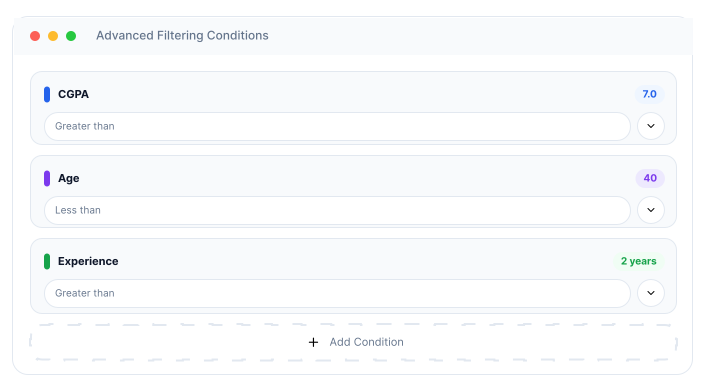
Set Filtering Criteria
- Define screening rules for numeric fields.
- Set thresholds such as minimum CGPA or experience.
- Apply multiple filtering conditions for a role.
- Automate qualification checks before assessments.
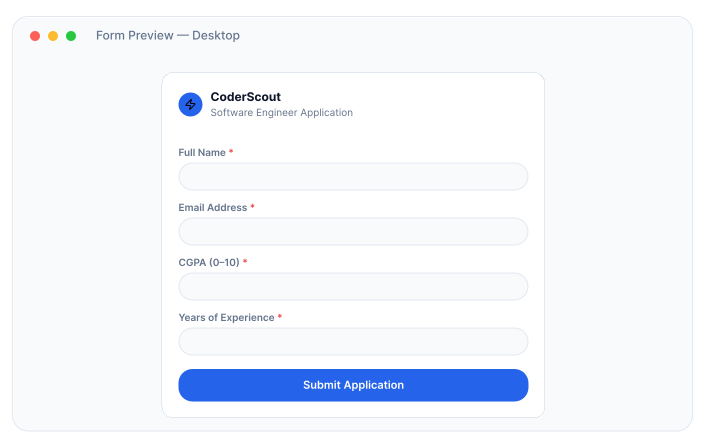
Preview and Publish
- Review the complete application form before launch.
- Verify field configurations and screening rules.
- Make final adjustments to the candidate experience.
- Publish the form and make it available for applicants.
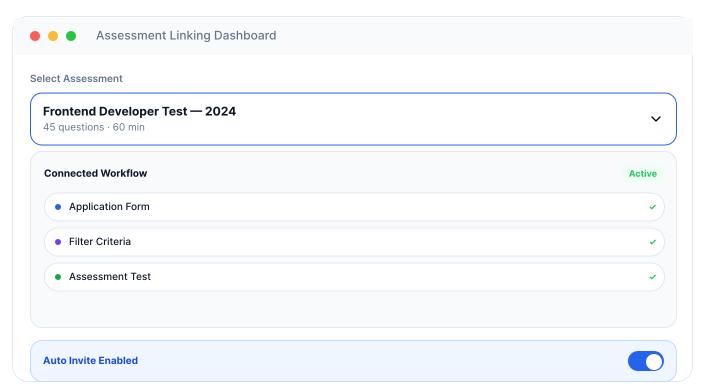
Attach to Your Assessment
- Link the application form to an assessment.
- Enable direct candidate applications.
- Share the application link across hiring channels.
- Centralize application and assessment workflows.
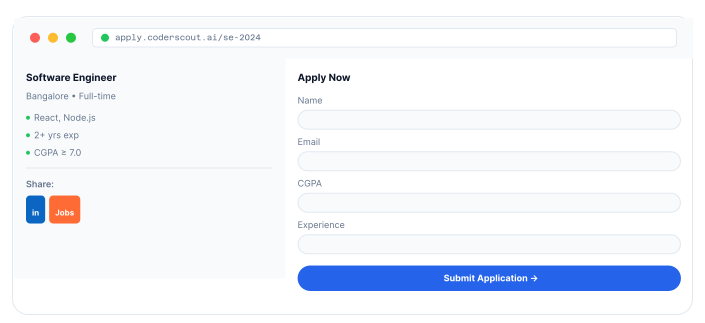
Candidates Apply
- Candidates access the application form online.
- Submit personal, academic, and professional details.
- Review job requirements before applying.
- Complete the application process in a structured format.
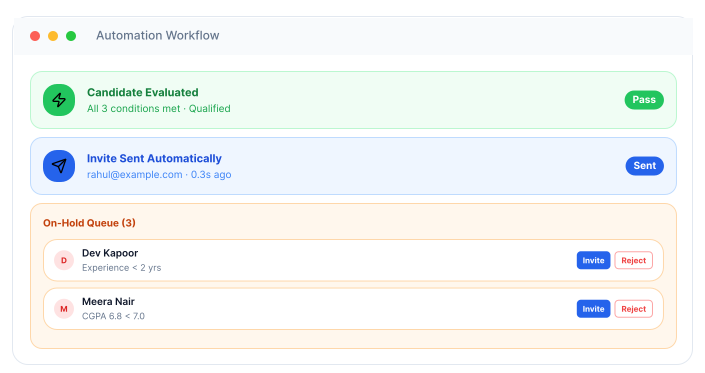
Auto-Filter and Invite
- Automatically evaluate applications against criteria.
- Instantly invite qualified candidates to assessments.
- Place non-qualified candidates on hold for review.
- Reduce manual screening effort and hiring delays.
Built for Efficient Early-Stage Screening
High-Volume Hiring
Replace manual resume screening with automated form-based filtering.
Technical Hiring
Assess core technical skills early
Campus Hiring
Share a single link and let candidates apply at scale.
Non-Tech Hiring
Screen based on criteria like experience, location, or educational background.
Frequently
Asked
Questions
It's a custom form-based screening tool that collects candidate information and automatically filters applicants based on criteria you define, before they reach any assessment stage.
Yes. You can add any number of fields, such as text, number, or dropdown, with each field configurable as required or optional.
For number-type fields, you can set conditions such as CGPA greater than 7. Candidates who meet all conditions are automatically invited. Those who don't are placed on hold.
Yes. Enable Allow Candidates to Apply Directly in your assessment settings and share the generated link on LinkedIn, job boards, college portals, or anywhere else.
They appear in your dashboard for manual review. You can force invite or reject them with a single click.
Yes. Enable the disqualify previously enrolled candidates option and set the time window during form creation.
Screen Smarter. Before the Assessment Even Begins. 
Build custom application forms, set your criteria, and let CoderScout filter automatically.